
Introduction
If you took the 2026 National Examinations Council (NECO) Senior School Certificate Examination (SSCE) Internal and are waiting to see your grades, you can check your result online through the official NECO result-checking portal.
The process is straightforward, but you need the correct examination year, examination type, registration number and a valid result-checking token. NECO’s official result portal currently provides fields for selecting the examination year and examination type, entering a token and registration number, and checking the result.
For candidates who sat the 2026 SSCE Internal examination, NECO scheduled the official result announcement for September 24, 2026, at its headquarters in Minna. The examination itself was conducted from June 15 to July 23, 2026.
This guide explains how to check your NECO result, what you need before starting, how to buy a token, what to do if the result does not appear, and how to avoid common mistakes.
When Was the 2026 NECO Result Released?
For the 2026 SSCE Internal examination, NECO scheduled the official result announcement for Thursday, September 24, 2026, at 11:00 a.m. at the Council’s headquarters in Minna, Niger State. This information was reported from a circular concerning the result announcement.
The 2026 SSCE Internal examination was written between June 15 and July 23, 2026, according to the official NECO examination timetable.
The result-checking portal is separate from the school registration portal. Candidates should therefore use the official result portal when checking their individual results rather than attempting to log into the school registration platform.
What Do You Need to Check NECO Result 2026?
Before you begin, have the following information available:
- Your NECO registration number.
- Your NECO result-checking token.
- The correct examination year.
- The correct examination type.
- A smartphone, tablet or computer.
- A reliable internet connection.
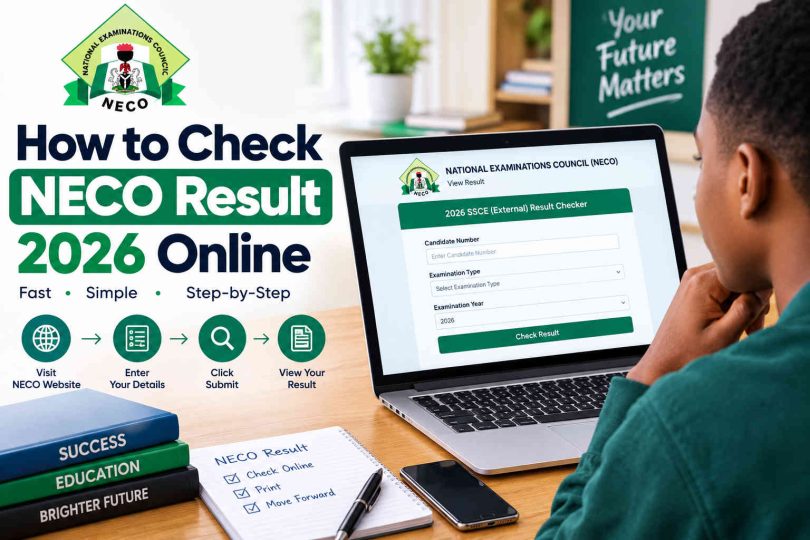
The official NECO result portal specifically asks candidates to select the examination year and examination type, enter a token and provide their registration number before clicking the result-checking button.
Your registration number is different from your result token. The registration number identifies your examination record, while the token is used to access the result through the online result checker.

How to Check NECO Result 2026 Online
How to Check NECO Result 2026 Online
You can check your result by following these steps.
Step 1: Visit the Official NECO Result Portal
Open the official NECO result-checking website:
The official portal is operated under the NECO domain. Be careful when searching for the website because unofficial websites may appear in search results.
Step 2: Select the Examination Year
On the result-checking page, look for the examination-year option.
Select 2026 from the available options.
Make sure you choose the year in which you actually sat for the examination. Selecting another year can prevent the system from finding your result.
Step 3: Select the Examination Type
After choosing the year, select the appropriate examination type.
For candidates who sat the June/July examination as school candidates, this will normally be the SSCE Internal option.
Check the wording displayed on the portal carefully before continuing.
Step 4: Enter Your Result Token
Enter your NECO result-checking token in the token field.
The official portal displays the token field and gives an example of the token format. If you do not have a token, the portal also provides an option to purchase one.
Enter the token exactly as provided. Avoid adding unnecessary spaces or changing any of the characters.
Step 5: Enter Your Registration Number
Type your NECO registration number into the registration-number field.
Check the number carefully before submitting it. A single incorrect digit can cause the system to return an error or fail to find your record.
If you have your examination documents available, compare the registration number with the number printed on them.
Step 6: Click “Check My Result”
After entering all the required information, click Check my result.
If your result is available and the information you entered is correct, the system should display your examination result.
Take your time to review the subjects and grades displayed on the page.
Step 7: Save Your Result Details
Once your result appears, save a copy for your records.
You can take a screenshot or print the result page if appropriate. However, keep in mind that a result-checking page and an official certificate are not necessarily the same document.
If you need your result for admission, employment or another formal purpose, follow the requirements of the institution requesting it.
How to Buy a NECO Result Token
A result token is required to check your result through the official NECO result portal.
The official portal provides a Purchase token option for candidates who do not already have one.
The exact amount payable can change, so candidates should check the official portal for the current price rather than relying on an old article or social-media post.
NECO’s published annual report previously listed a result-checker token at ₦1,000, but that figure relates to the cited service information in the Council’s report and should not automatically be treated as the current 2026 price.
Things to Remember When Buying a Token
Use the official NECO platform when purchasing your token.
Also:
- Check that the payment page is genuine.
- Keep your payment information private.
- Do not share your token unnecessarily.
- Save your transaction details.
- Avoid buying tokens from random social-media accounts.
- Do not send your examination credentials to strangers.
If the official portal shows a different current price, use the amount displayed there.
Can I Check NECO Result Without a Token?
The official NECO result portal currently requires a token as part of the online result-checking process. The portal also provides a purchase option for candidates who do not have one.
Therefore, candidates should not rely on websites claiming that they can bypass the official result-checking requirements.
If NECO changes its checking procedure in the future, follow the instructions displayed on the official portal.
What If My NECO Result Is Not Showing?
Sometimes a candidate may enter the correct information and still have difficulty accessing the result.
Before assuming that there is a problem with your examination result, check the following:
Check the Examination Year
Make sure you selected 2026 if you are checking the 2026 result.
Selecting 2025, 2024 or another examination year can produce an incorrect result or an error message.
Check the Examination Type
Make sure you selected the correct examination type.
This is particularly important because NECO conducts different examination categories, including SSCE Internal and SSCE External.
Check Your Registration Number
Carefully compare your registration number with the number on your examination documents.
Do not guess missing digits.
Check Your Token
Make sure the token you entered is valid and correctly typed.
If you copied the token from another source, check for missing or incorrectly entered characters.
Try Again Later
If the result has just been released, many candidates may be attempting to access the portal at the same time.
Heavy traffic or temporary technical problems can make a website slow or inaccessible.
If the information is correct, waiting for some time and trying again can be more useful than repeatedly submitting the same request.
What Should I Do If the NECO Website Is Not Opening?
If the result portal is temporarily unavailable, try these basic troubleshooting steps:
- Check your internet connection.
- Refresh the page.
- Close and reopen your browser.
- Try another browser.
- Clear your browser cache if necessary.
- Try using a different device.
- Wait for some time and try again.
Avoid repeatedly purchasing a token simply because the website is temporarily slow.
Before making another payment, confirm whether the previous transaction was successful.
How to Check NECO Result for Admission
After checking your NECO result, you may need it for admission into a university, polytechnic, college of education or another institution.
Start by checking the admission requirements of the institution you want to attend.
Some institutions may ask candidates to upload their O’level results through an admission portal. Others may request specific subjects and grades depending on the course.
Before uploading your result, carefully confirm:
- Your name.
- Examination year.
- Registration number.
- Subject names.
- Grades.
- Result status.
Do not alter your result or submit incorrect information.
If an institution requests formal verification rather than simply a candidate’s result details, NECO also operates an e-Verify platform for individual and institutional result verification.
What Is NECO Result Verification?
Result checking and result verification are related but different services.
Result checking allows a candidate to view their examination result through the NECO result portal.
Result verification is used to confirm a candidate’s result for institutional or other official purposes.
NECO’s e-Verify platform provides individual result verification and institutional verification services. The Council says the system can be used by individuals and institutions to verify or confirm NECO results.
The e-Verify system also contains historical results. Its official information states that SSCE Internal results are available from 2000 and SSCE External results from 2002.
Therefore, do not confuse the normal result-checking portal with the separate e-Verify platform.
Common Mistakes to Avoid When Checking NECO Result
Checking a result is simple, but mistakes can create unnecessary problems.
Using an Unofficial Website
One of the biggest risks is entering your examination information on an unofficial website.
Always confirm that you are using an official NECO domain.
Entering the Wrong Examination Year
If you are checking the 2026 examination, select 2026.
Do not select a previous year simply because you previously checked another NECO result.
Confusing Token With Registration Number
The token and registration number serve different purposes.
The portal asks for both, so make sure each one is entered in its correct field.
Sharing Your Token
A result token is connected to access to your result. Avoid posting it publicly or sending it to people you do not trust.
Paying for a Second Token Too Quickly
If the website is slow after payment, do not immediately purchase another token.
First check your transaction information and try again later.
Trusting Unverified Result Claims
Social-media posts can spread incorrect information about examination results, release dates and statistics.
For important information, check NECO’s official platforms and result portal.
Is the NECO 2026 Result Available for Everyone?
The 2026 SSCE Internal result is the result relevant to candidates who participated in that examination.
NECO’s 2026 SSCE Internal examination was scheduled for June 15 to July 23, 2026.
The result-checking portal allows candidates to select their examination year and examination type.
Candidates who took a different NECO examination should select the examination type that corresponds to their own examination record.
What If There Is an Error in My NECO Result?
If you notice an issue with your result, do not attempt to modify the result yourself or rely on someone who claims they can secretly change it.
Keep your examination details and supporting documents safe and contact NECO through its official support channels.
For formal result verification, correction or other examination-related matters, use the procedures provided by NECO rather than unofficial agents.
NECO also operates an e-Verify platform for result confirmation and verification, including services for individuals and institutions.
Frequently Asked Questions
How can I check my NECO result 2026?
Visit the official NECO result portal, select the 2026 examination year and appropriate examination type, enter your result token and registration number, and click Check my result.
Is NECO result 2026 out?
The 2026 SSCE Internal results were scheduled for official release on September 24, 2026, with the announcement planned for 11:00 a.m. at NECO headquarters in Minna.
Candidates should use the official result portal to check their individual results rather than relying only on social-media announcements.
Where can I check the 2026 NECO result?
You can check it through the official NECO result-checking portal. The portal requires the examination year, examination type, result token and registration number.
Do I need a token to check my NECO result?
Yes. The official result portal currently asks candidates to enter a result token. Candidates who do not have one can use the portal’s token-purchase option.
What is a NECO result token?
A NECO result token is an access code used as part of the online process for checking a NECO examination result.
It is different from your registration number.
What should I do if my NECO result is not displaying?
First confirm that you selected the correct examination year and type and entered the correct registration number and token. If everything is correct, the problem may be temporary, especially when many candidates are accessing the portal at the same time.
Can I check NECO result on my phone?
Yes. You can use a smartphone with an internet connection and a web browser to access the official result portal.
Can I use my NECO result for university admission?
Yes, where the institution accepts NECO as an O’level qualification and your subjects and grades meet its requirements. However, admission requirements differ by institution and course, so check the specific requirements of the school you are applying to.
What is the difference between NECO result checking and verification?
Result checking is the process of viewing your examination result online. Verification is used to confirm the authenticity or details of a result, often for institutional or official purposes. NECO provides an e-Verify platform for individual and institutional verification.
Is the NECO result portal different from the NECO registration portal?
Yes. The result portal is designed for checking examination results, while NECO’s registration portals are used for examination registration and related administrative activities. The official result portal provides the result-checking form with fields for examination year, examination type, token and registration number.
Conclusion
Checking your NECO result 2026 can be done online through the official NECO result-checking portal. You need to select the correct examination year and examination type, then enter your registration number and result token to access your result.
If you have trouble viewing the result, first check your details and internet connection before trying again. Most importantly, use official NECO platforms and avoid websites or individuals promising unofficial ways to access or change examination results.
After viewing your result, keep a copy of the details and check the requirements of any university, polytechnic, college or other institution where you plan to use the result.
Leave a Comment